pDimmer
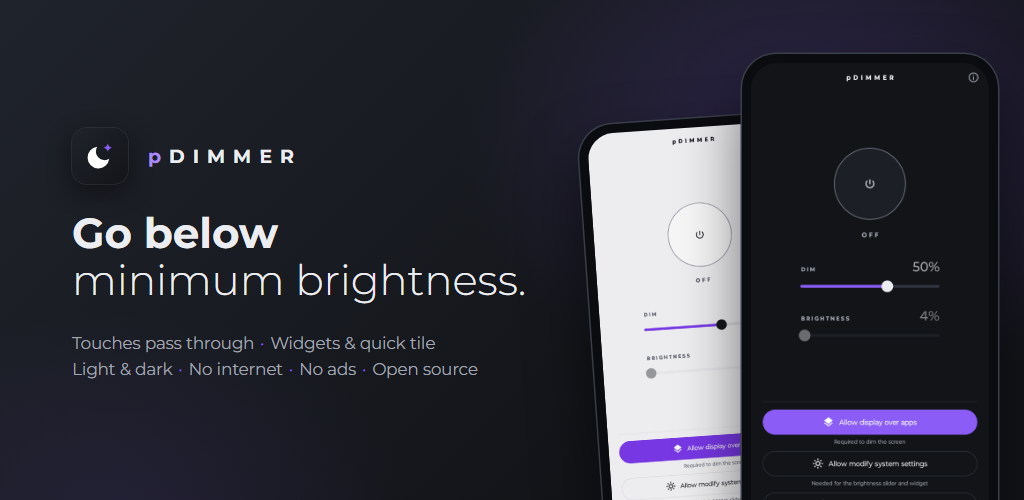
A minimalist Android screen dimmer. pDimmer draws a black, semi-transparent layer over the screen so you can go below the minimum system brightness. Touches pass straight through the layer, so you keep using your phone normally.

pDimmer is in internal testing. The link works only for Google accounts on the tester list. To join, email vladgba@gmail.com with the address you use on Google Play.
Features
- One-tap on/off. A big power button, with a dim slider and a system brightness slider.
- Home-screen widgets:
- Dim level (4×1): − / bar / +
- Brightness (4×1): − / bar / + for the system screen brightness
- Dim button (1×1): on/off toggle
- pDimmer (all) (4×2): all of the above in one widget
- Quick Settings tile. Toggle dimming from the notification shade.
- Optional accessibility mode. It also dims the status bar and notification shade, and allows dimming up to 95%.
- No ads, no network, no data collection.
Permissions
| Permission | Why | Required |
|---|---|---|
| Display over other apps | Draws the dimming layer | Yes, unless accessibility mode is on |
| Modify system settings | Brightness slider and Brightness widget | Optional |
| Accessibility service | Dims the system bars too and allows up to 95% dimming. It receives events only from pDimmer itself and never reads screen content | Optional |
| Notifications | Shows the ongoing "pDimmer is on" notification with a Turn off button | Optional |
The app shows a setup button for each permission that is missing. Each button disappears once its permission is granted.
Notes
- On Android 12+, a regular overlay is limited to 80% opacity. Above that, Android blocks touches from passing through it. Use accessibility mode, or lower the brightness, to go darker.
- On Android 13+, if you install the APK by opening the file on the phone, the accessibility toggle may be greyed out as a Restricted setting. Enable it under App info → ⋮ → Allow restricted settings.
Build
Requires Android 8.0+ (API 26). Built with the Android Gradle Plugin 9 and Kotlin.
./gradlew assembleDebug
The APK is written to app/build/outputs/apk/debug/.
License
See LICENSE.